Applications & Subscriptions
Learn how to browse and use applications in SAMS.
The SAMS marketplace is where you'll find applications your organization can subscribe to. This guide shows you how to browse and use your applications.
Finding Applications
Browsing the Marketplace
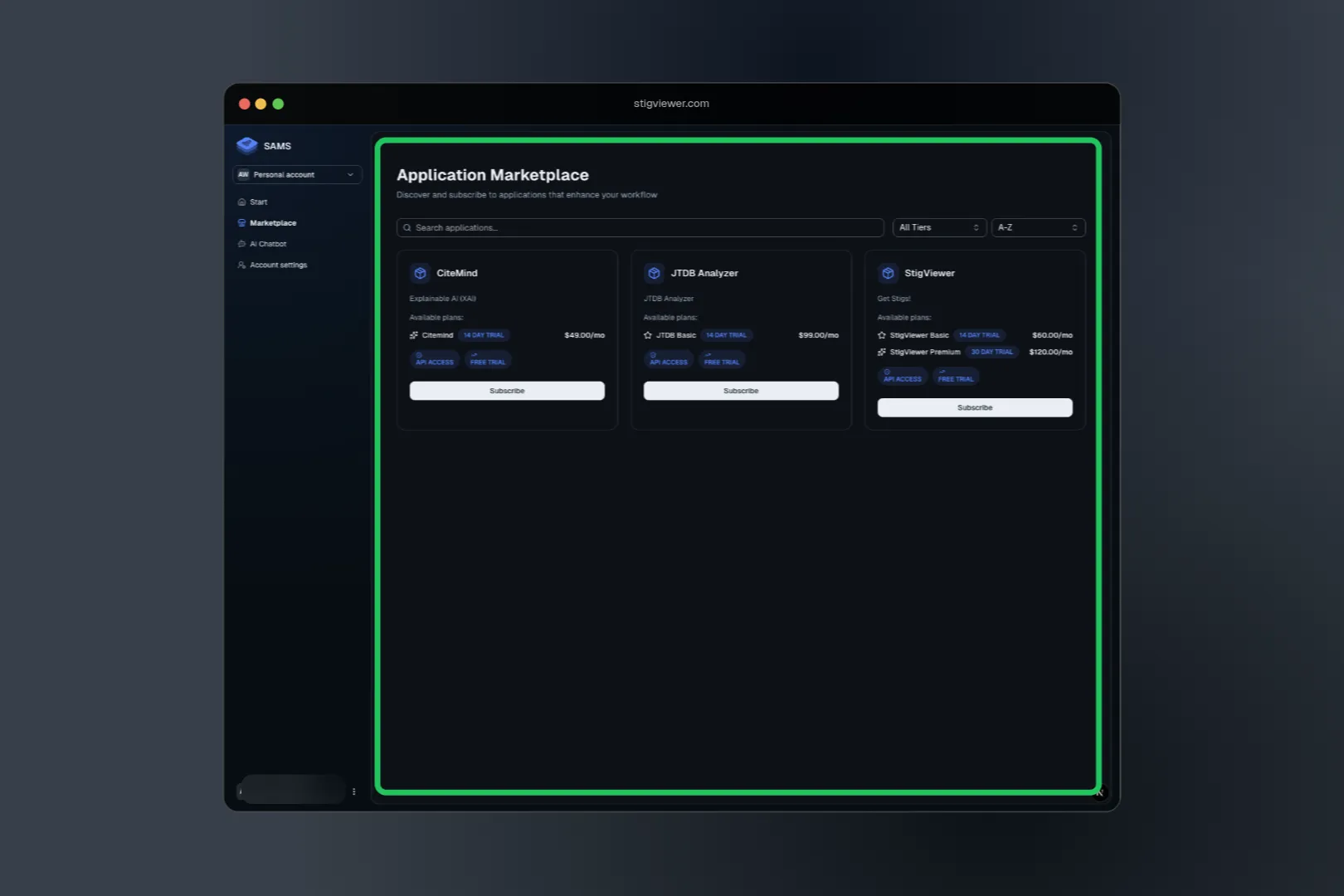
- Click "Marketplace" in the main navigation
- Browse Categories: Applications are organized by type (productivity, security, analytics, etc.)
- Search: Use the search bar to find specific applications
- Filter: Narrow down options by price, features, or category
Understanding Application Details
When you click on an application, you'll see:
- What it does: Description and key features
- Pricing plans: Available subscription tiers and costs
- Trial options: Free trial information (most apps offer 14-day trials)
- User reviews: Feedback from other organizations
Subscription Plans
Most applications offer multiple plans:
Basic Plan
- Essential features to get started
- Lower user limits
- Basic support
- Good for trying out the application
Pro Plan
- More features and higher limits
- Priority support
- Advanced integrations
- Best for growing teams
Enterprise Plan
- All features included
- Unlimited or very high limits
- Dedicated support
- Custom features and integrations
Using Your Applications
Accessing Applications
After subscribing:
- Find them on your dashboard: All subscribed applications appear on your main page
- Click to access: Most applications open directly or redirect to their platform
- Single sign-on: Many applications use your SAMS login automatically
Understanding Usage Limits Coming soon
Your subscription plan determines:
- How many team members can use the application
- Monthly usage limits (like API calls or storage)
- Which features are available
- Level of support you receive
These limits apply to your entire organization, not individual users.
Getting the Most from Your Applications
Team Training
- Explore features: Take time to learn what your applications can do
- Read documentation: Each application usually has its own help guides
- Training resources: Look for tutorials, webinars, or training materials
- Share knowledge: Have team members who learn features teach others
Monitor Usage
Keep an eye on:
- Plan limits: Make sure you're not approaching usage caps
- Team adoption: See which features your team uses most
- Value assessment: Regularly evaluate if applications are worth the cost
Troubleshooting Common Issues
Can't access an application?
- Verify your organization has an active subscription
- Check that you have permission to use the application
- Try refreshing your browser or clearing cache
- Contact your organization admin if the problem persists
Application seems limited?
- Check which plan your organization has subscribed to
- Some features may only be available on higher-tier plans
- Usage limits might have been reached for the billing period
Trial expired unexpectedly?
- Trials typically last 14 days from when they start
- You should receive email notifications before expiration
- Contact your admin to discuss subscribing to a paid plan
Getting Help
- Your Organization Admin: For subscription and billing questions
- Application Support: Each application has its own help resources
- SAMS Support: For account and platform issues
- Documentation: Browse these guides for detailed information